Comparison

Pebblely Alternatives in 2026: Free and Paid Options

Most people look for a Pebblely alternative because Pebblely has no free trial and every plan has a monthly image cap. We checked eight other tools on their own sites on 5 November 2026 and sorted them by what you need instead. We make one of them, Z Product AI, so we also say where Pebblely is still the better choice.

Updated 5 November 2026

The short answer

  • Pebblely's pricing FAQ said on 5 November 2026 that it offers no free trial and no refunds, and that unused image credits do not roll over.
  • For a free option with no account, Z Product AI edits one real photo at a time, 10 images a day, up to 768 px with a small mark.
  • For low-cost batch work, Pixelcut Pro was $10 a month ($8 billed yearly) with 1,000 batch exports.
  • For art-directed scenes and on-model photos, Flair AI has a free plan with 5 images; for upscaling and an API, look at Claid.ai.
  • Pebblely is still a good pick for simple themed scenes in bulk at a fixed price, from US$9 a month for 30 images.

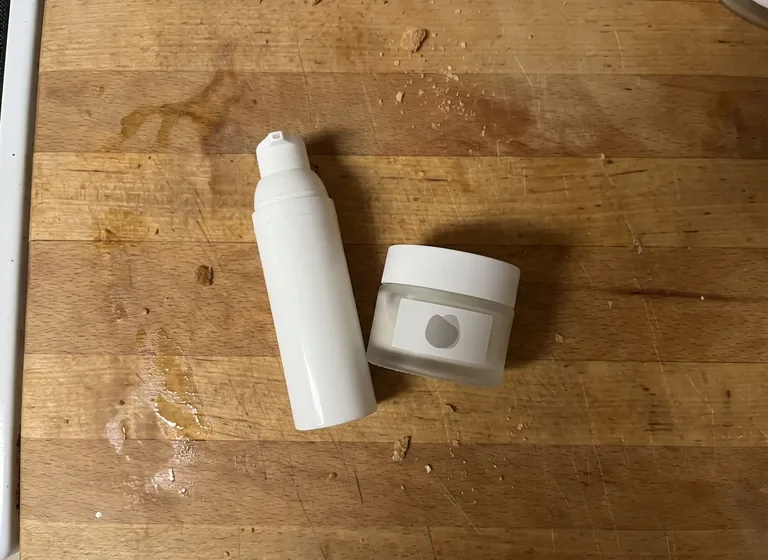
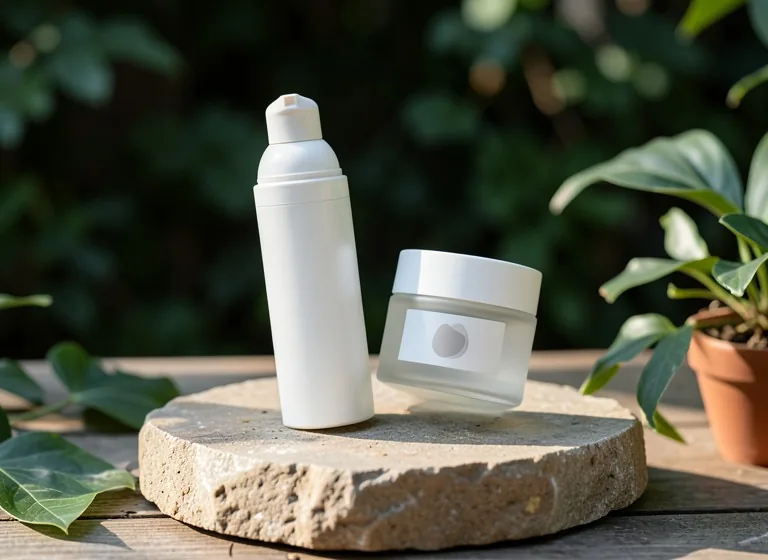
Example before (AI-made sample photo) and our model's output

A Pebblely-style podium scene made for free

Podium and stone scenes are what many sellers use Pebblely for. This is one real result from Z Product AI with a short prompt.

The before photo is an AI-made sample photo of generic products, not a customer photo. The result was made with Z Product AI in October 2026 at the free size (up to 768 px, with a small mark).

Pebblely alternatives compared

What each vendor's own site said on 5 November 2026. Where a vendor shows prices in your local currency we say "check the site". Plans change often.

ToolFree usePaid from (vendor page)Batch / APIBest for
Pebblely (for reference)No free trialLite US$9 a month, 30 images; Basic US$19, 200; Pro US$39, 500Bulk generate on Basic and ProThemed scenes at a fixed monthly price
Z Product AI (this site)Free, no account: 10 images a day, up to 768 px with a small markNo plan neededNo batch, no APIA few free scenes or white backgrounds from one photo
PixelcutFree plan with limited background removal and upscales; no watermark on exportsPro $10 a month ($8 billed yearly), 600 AI credits1,000 batch exports a month on Pro; API listedCheap batch edits from a phone
Flair AIFree forever: 5 generated images, 1 video, 1 custom modelPro $10 a month ($8 billed yearly); Pro+ $35 for 80 imagesBulk content generation; API on EnterpriseArt-directed brand scenes and on-model shots
Claid.aiFree trial: 50 creditsEssentials $15 a month ($9 billed yearly), 500 creditsBatch on Pro; APIUpscaling, 4K and catalog automation
PhotoroomFree trial of the Pro and Max plansShown by region; check the siteAPI sold as separate plansHigh-volume cutouts plus AI backgrounds
soona AI Studio (was Mokker)Check the siteBasic membership $13 a month billed yearly, 20 AI generations a monthCheck the siteAI scenes with the option of a real studio shoot
Adobe FireflyFree daily generationsShown by region; check the siteWorks with PhotoshopDesigners who refine scenes by hand
CanvaFree plan; photo background tools are on paid plansShown by region; check the siteCheck the siteTurning a product photo into an ad or post

Why people look for a Pebblely alternative

People look for an alternative mainly because Pebblely has no free trial, so there is no way to test it on your own products before paying. Its pricing FAQ, checked on 5 November 2026, also said it gives no refunds and that unused image credits do not roll over to the next month.

The plan caps matter too. Lite is US$9 a month for 30 images, which is about 30 cents an image if you use them all, and bulk generation starts on the US$19 Basic plan. A seller who needs 5 images one month and 300 the next pays for the cap either way.

  • No free trial and no refunds, per Pebblely's own FAQ.
  • Monthly image caps: 30, 200 or 500 images, with no rollover.
  • Bulk generation only on Basic and Pro.
  • Some sellers need things Pebblely does not list on its pricing page, such as upscaling, an API or on-model photos.

Read next: AI product photography explained

The alternatives, one by one

Each alternative below replaces a different part of what Pebblely does. These notes reflect what each vendor's site said on 5 November 2026.

  • Z Product AI: free, with no account and no card, 10 images a day. It edits the real photo you upload with our own tuned FLUX.2 klein 4B edit model, and you can add up to 4 photos to one edit. Files are up to 768 px with a small mark, and there is no batch mode or API, so it replaces Pebblely for a few images, not for a catalog.
  • Pixelcut: a phone-first editor whose free plan exports without a watermark. Pro adds 600 AI credits and 1,000 batch exports a month. Better than Pebblely if you mainly need cutouts and quick backgrounds in volume.
  • Flair AI: a tool for brand scenes, on-model photos, short product videos and custom models. Its free plan gives 5 images, so you can test before paying, which Pebblely does not allow.
  • Claid.ai: a credit-based suite where an AI photoshoot costs 4 credits at standard quality or 10 at studio quality. It also upscales, outputs up to 4K on Pro, and has an API. Better than Pebblely for large files and automation.
  • Photoroom: a background remover and AI scene tool with a free trial on its Pro and Max plans. Pro includes 1,000 exports a month and its API is sold separately. Better than Pebblely for sellers who edit hundreds of photos a month.
  • soona AI Studio: the tool that used to be Mokker, now inside soona. Its Basic membership was $13 a month billed yearly with 20 AI generations, and soona also books real studio shoots.
  • Adobe Firefly and Canva: general tools rather than product scene tools. Firefly gives free daily generations and feeds into Photoshop; Canva builds the ad or post around your photo, but its photo background tools are on paid plans.

Which alternative to pick for your need

Match the tool to the one thing you need most; most sellers end up using two tools rather than one.

  • You want to try AI scenes for free first: Z Product AI (no account) or Flair AI (5 free images).
  • You need hundreds of cutouts and simple backgrounds a month: Pixelcut or Photoroom.
  • You need large files, upscaling or an API: Claid.ai.
  • You sell clothing and need it shown on a person: Flair AI, or read our guide to AI fashion models.
  • You want AI scenes now and a real photographer later: soona AI Studio.
  • You want the photo turned into a finished ad: Canva.

Read next: AI fashion models for clothing sellers · Best AI product photography tools compared

Where Pebblely is still the better pick

Pebblely is still the better pick if you want simple themed scenes in bulk at a known monthly price. It lists 40+ background themes and custom prompts on every plan, and bulk generation on Basic and Pro, so a seller with a steady flow of new products can run them through without setting up each scene by hand.

Its terms are also clear on two points sellers care about. Pebblely's FAQ says you own the photos you make and that your uploads and results are not used for AI training. Yearly billing gave about 20% off when we checked. Compared with Z Product AI, Pebblely wins on volume and bulk work; we win only on being free with no account.

How to get a good scene from any of these tools

Start with a sharp, evenly lit photo of the real product, then ask for one simple scene and check the details before you post. A clean source photo matters more than which tool you pick.

  • Shoot the product on a plain surface in soft daylight, filling most of the frame.
  • Ask for one surface, one background and one light, such as a stone podium with warm side light.
  • Tell the tool not to add text if your product has a label; some models invent extra words.
  • Compare the result with the real product: label, color, shape and every small part.
  • Keep one plain white image for marketplaces and use scenes for the extra slots and ads.

Read next: AI product photography prompts · Claid.ai alternatives · AI product photoshoot tool

FAQ

Questions sellers ask

Is there a free alternative to Pebblely?

Yes. Z Product AI is free with no account (10 images a day, up to 768 px with a small mark). Flair AI's free plan gives 5 images and Pixelcut has a free plan, as their sites showed on 5 November 2026.

Does Pebblely have a free trial?

No. Pebblely's pricing FAQ said on 5 November 2026 that it does not offer free trials and does not give refunds.

How much does Pebblely cost?

On 5 November 2026 its pricing page showed Lite at US$9 a month for 30 images, Basic at US$19 for 200 and Pro at US$39 for 500, with about 20% off on yearly billing.

Do Pebblely credits roll over?

No. Its FAQ said unused image credits do not roll over to the next month.

Which Pebblely alternative has an API?

Claid.ai and Photoroom both sell API access, and Flair AI offers it on its Enterprise plan. Pebblely and Z Product AI do not list one.

Who owns photos made with Pebblely?

Pebblely's FAQ says you own the photos you create and that uploads and results are not used to train AI.