Seller guide

Best Free Ghost Mannequin AI Tools in 2026

A ghost mannequin photo shows a garment in its worn 3D shape with nothing holding it: no mannequin, no hanger, no model. Several AI tools now make one from a single photo. Here is what each free option gives you, and what happened when we ran two hanger photos through our own tool.

Updated 13 October 2026

The short answer

  • Want free with no account: Z Product AI and Pokecut both work without signing up.
  • Need full-size, unmarked files today: pick a paid plan or a retouching service. Free outputs here and on most tools are smaller or marked.
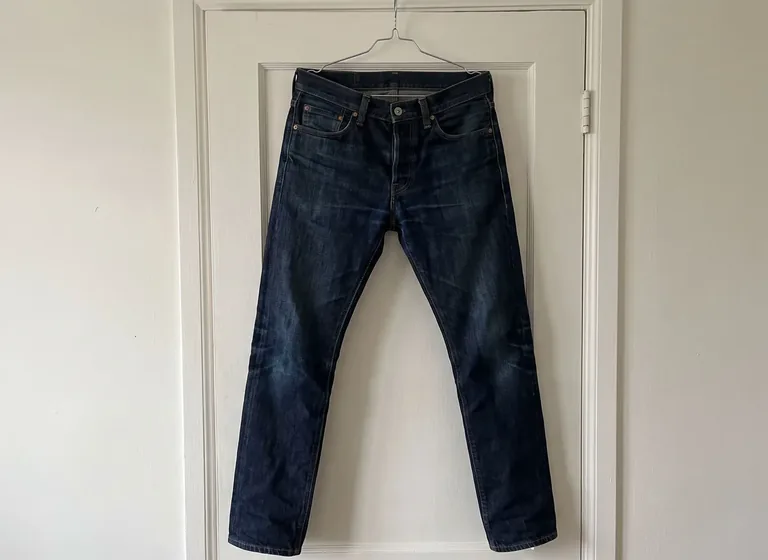
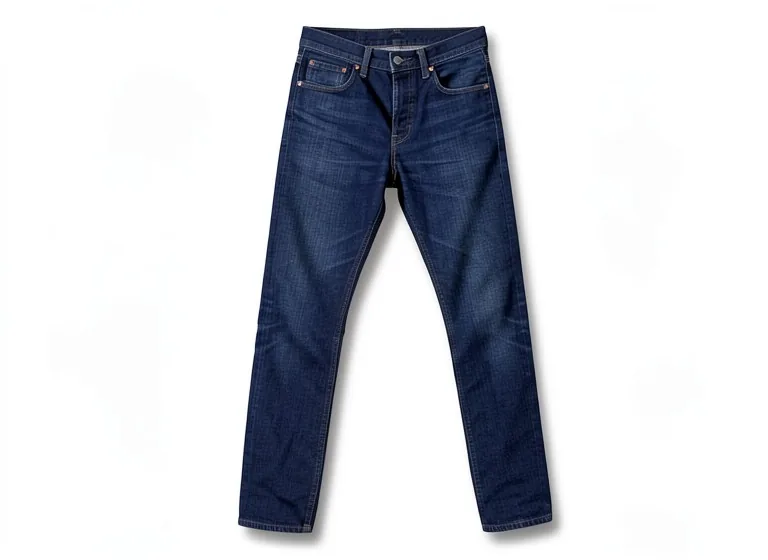
  • Name the garment in your prompt. Our jeans test only worked once the prompt said "jeans".

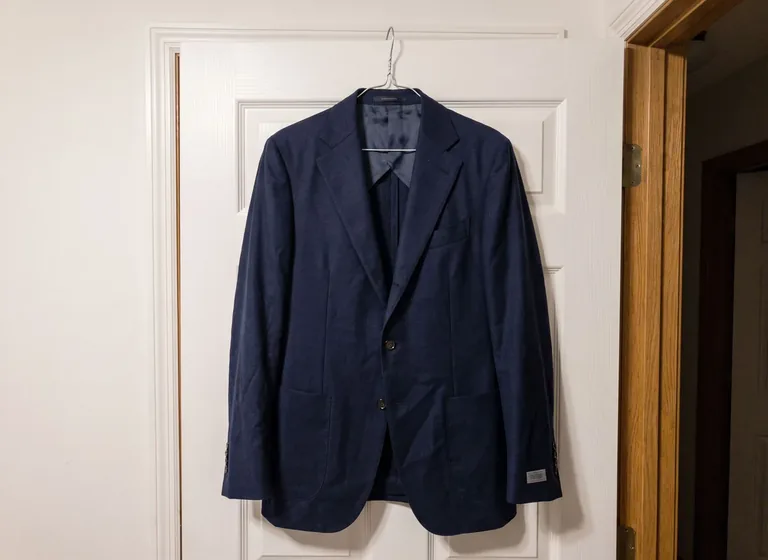
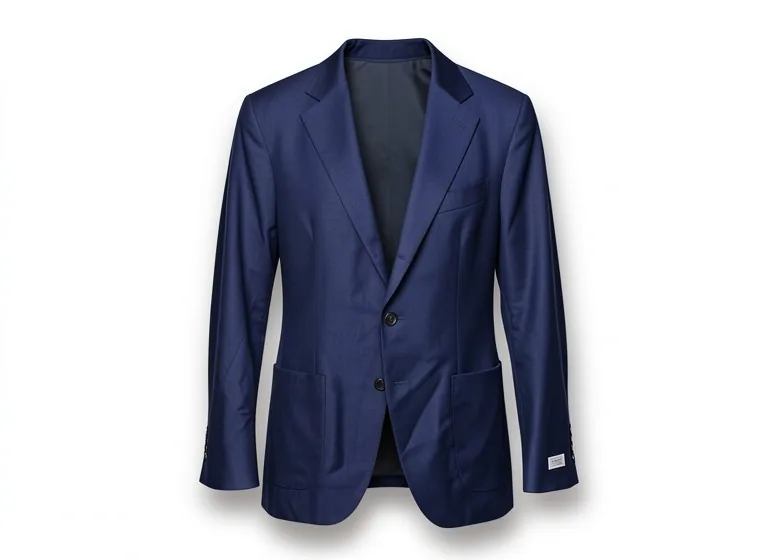
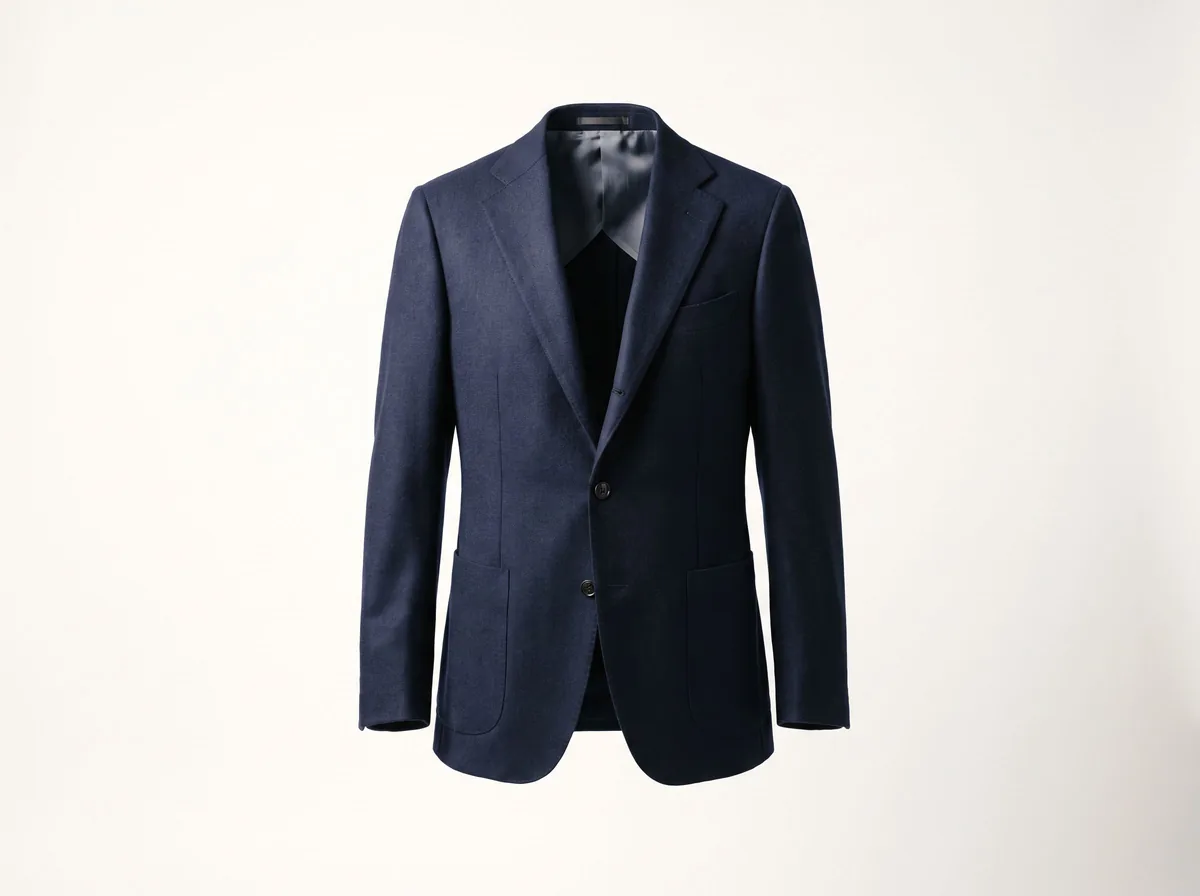
Example before (AI-made sample photo) and our model's output

Our test: two hanger photos, one tool

Both are AI-made sample photos of a garment on a hanger on a door, not customer photos. Each went through the Ghost Mannequin Effect tool exactly as a visitor would use it.

The before photos are phone-style snapshots of generic products that we made with an AI image model for this site's tool pages; they are not customer photos. Each after is the unedited result of our own free tool on that photo, made on 13 October 2026 at the size a visitor gets (768px on the long side) and shown without the download mark. Results vary from photo to photo.

Free ghost mannequin AI tools compared

What each tool's own site said on 13 October 2026. Free plans change often, so check before you rely on one.

ToolFree to trySign-up for free use
Z Product AI (this site)Free daily allowance; works from a mannequin, hanger or flat-lay photo. Downloads are up to 768px with a small zproductai.com markNo
Pokecut5 free credits a dayNo
WeShop AIFree single-photo ghost mannequin toolCheck the site
PhottaFree credits, then paidCheck the site
Kaptured AIDone-for-you editing service from $5 per product; check the site for any free optionCheck the site
WearViewPaid plans from $29 a month; ghost mannequin service from $0.19 per image; check the site for any free optionCheck the site

What makes a good ghost mannequin photo

Look at four things before you pick a tool: the inside back of the neckline is visible, the sleeves and hem have hollow openings, nothing of the hanger or mannequin is left at the shoulders, and the color and fabric match the real garment.

For a whole catalog, consistency matters as much as any single image: same angle, same white, same shadow and same crop on every product.

Shoot a better input photo

  • Hang the garment on a plain door or wall, facing the camera straight on.
  • Use soft, even daylight. Avoid a flash, which flattens the fabric.
  • Button it up and smooth out creases. The AI keeps most wrinkles it sees.
  • Remove price tags and hang tags first. In our test a sleeve label stayed in the result.
  • Fill most of the frame with the garment.

When a free AI tool is not enough

Sheer fabrics, sequins, very structured pieces (blazers with heavy shoulders, swimwear with cups) and anything where the inside matters to the buyer are still hard for every automatic tool. For those, and for large catalogs that must match a brand style exactly, a retoucher or a done-for-you studio is the safer choice.

Free outputs are also small. Ours are capped at 768px on the long side with a small mark, which is fine for a quick look, social posts or a draft listing, but marketplaces that zoom (Amazon asks for about 1000px or more) need a larger, unmarked file.

FAQ

Questions sellers ask

Is there a free ghost mannequin AI with no sign-up?

Yes. Z Product AI and Pokecut both let you make ghost mannequin images without an account (as of 13 October 2026). Z Product AI gives a free daily allowance; Pokecut gives 5 free credits a day.

Can AI make a ghost mannequin photo from a hanger shot?

Yes. Our blazer test came from a hanger-on-a-door photo and worked on the first try. Describe the garment in the prompt (for example "these jeans") so the AI keeps its type.

Do I still need a mannequin with removable parts?

Not for AI tools. The classic method shoots the garment on a mannequin and again inside out, then combines them in Photoshop. AI tools build the hollow neckline from one photo.

Are free ghost mannequin images good enough for Amazon?

Usually not as downloaded. Free outputs are often small or marked, and Amazon wants no logos or watermarks and about 1000px or more on the long side. Amazon apparel main images are also expected to show a model or a flat lay, so check your category style guide before using a ghost mannequin image there.