The exact requestGhost mannequin, front, white Do not add any text, label or logo that is not already on the product.
Try it on your own photo in Ghost Mannequin →Before and after
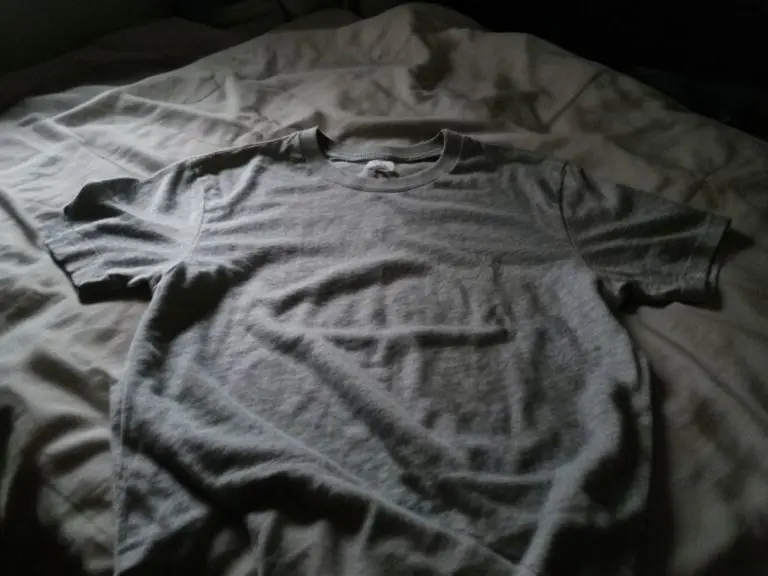
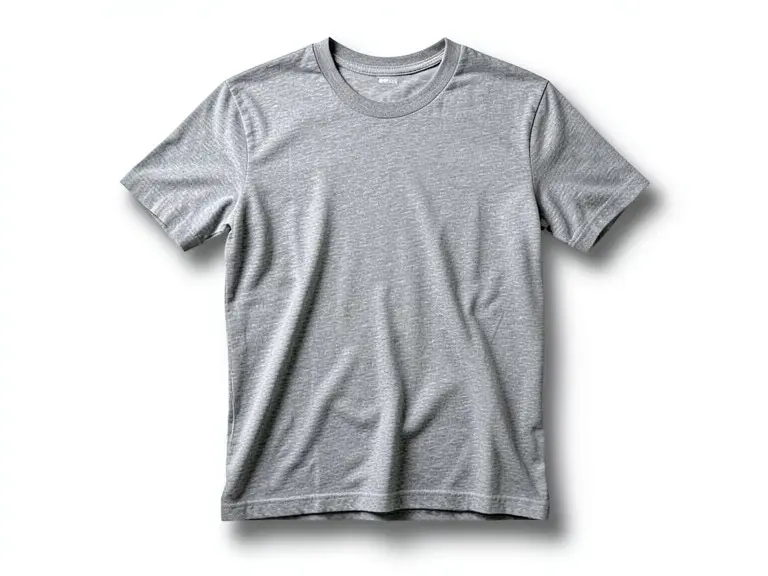
A gray cotton tee laid flat on a messy bed, then the same shirt as a ghost mannequin shot on white. This one went well, and we point out the small things worth checking anyway.
Made 21 October 2026
The exact requestGhost mannequin, front, white Do not add any text, label or logo that is not already on the product.
Try it on your own photo in Ghost Mannequin →The before photo is a phone-style snapshot of a generic product that we made with an AI image model for this page; it is not a customer photo. The after is the unedited result of our own free tool on that photo, made on 21 October 2026 at the size a visitor gets and shown without the download mark. One run, one result: yours will differ.
Clothing photographed flat on a bed shows creases, fold lines and a neckline that lies down instead of opening. The tee here also sat in dim bedroom light, which turned a light heather gray into something closer to charcoal. Shoppers cannot see how the shirt would hang, so they guess, and guessing means returns.
A ghost mannequin (also called an invisible mannequin) shot fixes that. The garment looks worn, you see the inside of the neck, and there is no person or dummy in the frame.
We asked for a front view on white. The shirt now has shoulders, rounded sleeves and a hollow neck with the inside back panel and a small tag showing, which is the signature of the style. The creases are mostly gone and a soft shadow under the hem stops it floating on the page.
This is the easiest kind of case for an edit model: one plain garment, no print, no logo, a clear silhouette. Prints and small graphics are harder, and we did not test them here.
A flat lay is quick and honest about size. A ghost mannequin shows shape and drape. For basics such as tees, shirts and hoodies, many sellers use the ghost shot first and a flat detail picture second.
Free tools for this
FAQ
No. The tool starts from a photo of the garment alone, on a bed, a floor or a hanger.
We did not test one here. Prints are harder for any image model, so check every letter and graphic against the real shirt.
It is part of the picture the tool returned. Remove or soften it if your marketplace wants a pure white background.
The free ghost mannequin comparison guide linked below shows several tools side by side.
Z Product AI makes the tools shown here. Third-party pages above were read for general background on what to check in AI product photos as of 21 October 2026.