Seller guide

Clothing Photos on a Model Without Hiring One

Shoppers want to see how clothes hang on a body, but a photoshoot with a model, a photographer and a studio is out of reach for many small shops. A free AI tool can now put a garment from a hanger photo onto a generated model. We tried it on a blazer and a pair of jeans, and this page shows what came out and what did not match the real garment.

Updated 13 October 2026

The short answer

  • Start with one clear, well-lit photo of the garment: on a hanger, a mannequin or laid flat, wrinkle-free, with nothing covering it.
  • AI models show style and drape, not your real fit. Say so on the listing, and keep size charts and measurements next to the photo.
  • Check every result against the real garment. In our tests the blazer lost its check pattern and a button, and the jeans lost their faded wash.
  • Keep real photos for hero images, exact-fit claims and detailed fabrics such as beading or embroidery.

Example before (AI-made sample photo) and our model's output

Our test: two garments, three models

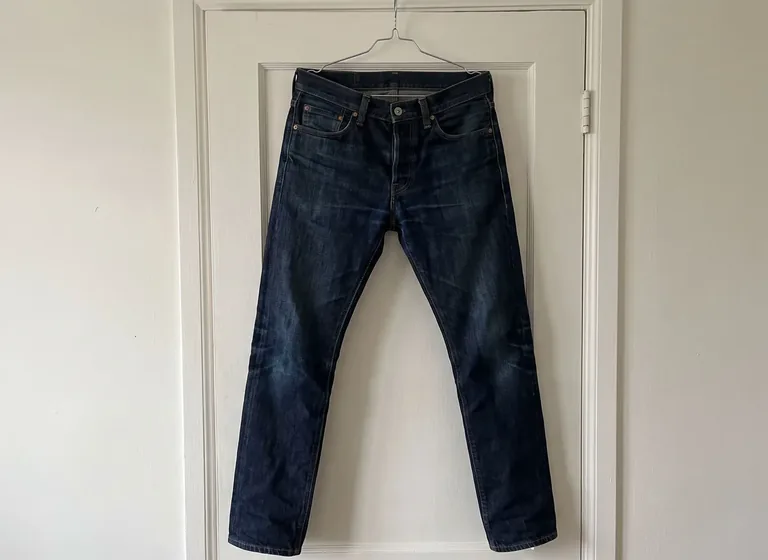
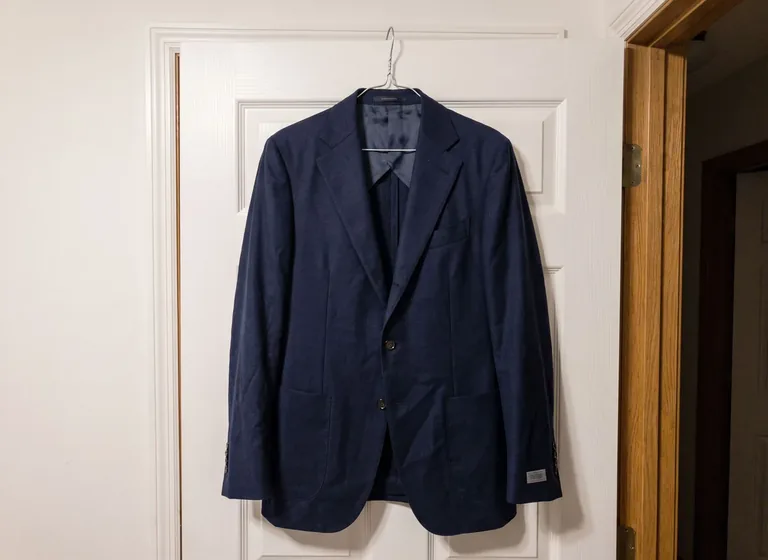
The before photos are AI-made samples of a garment on a hanger on a door. Each went through the AI Fashion Model Generator with a short prompt. The blazer was used twice, once with a woman in a studio and once with a man in a casual look.

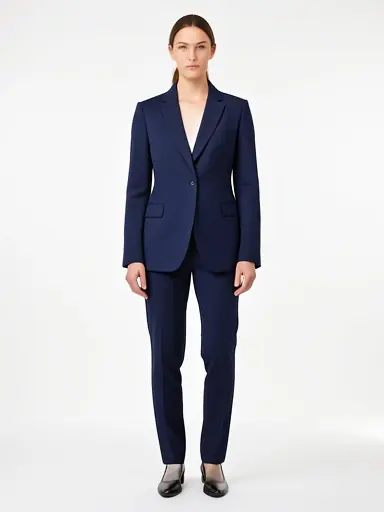
Navy blazer on a studio model

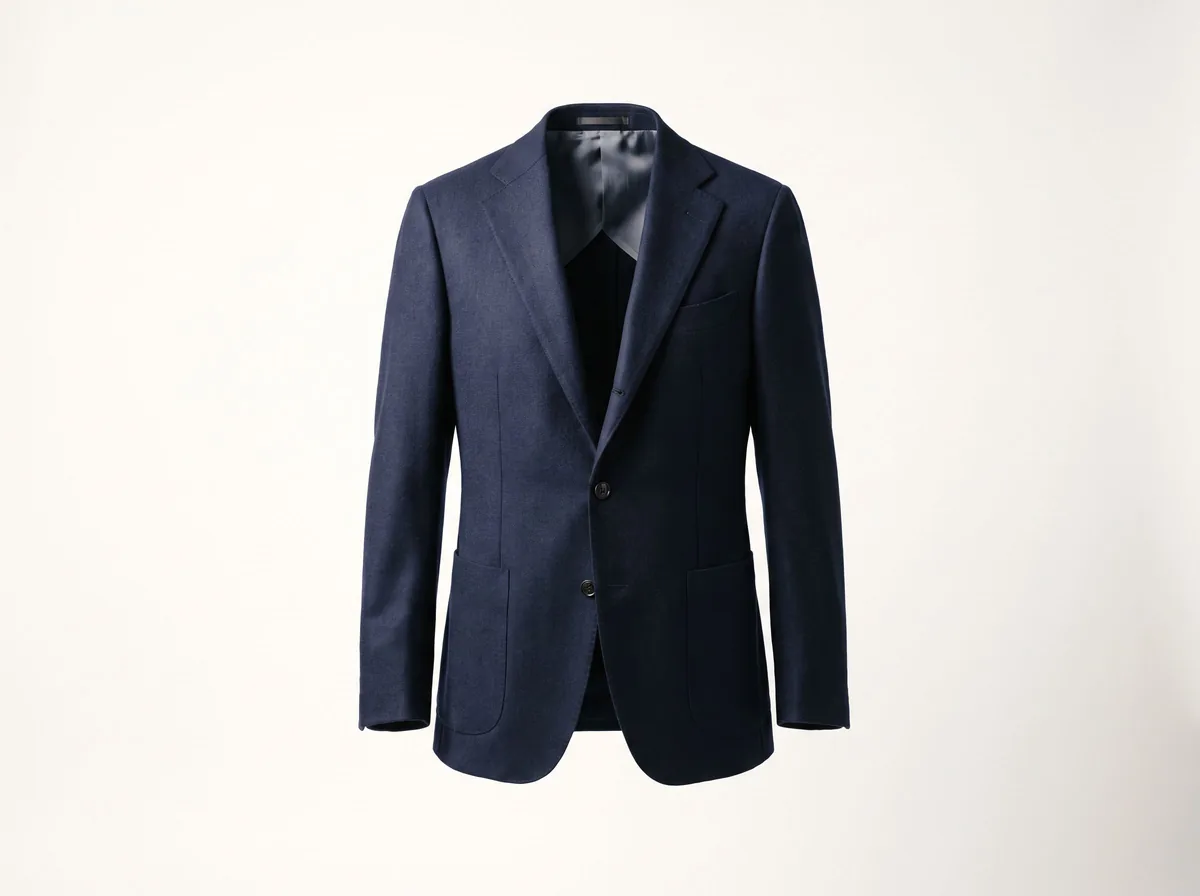
Navy blazer on a studio model: the original photo
Before
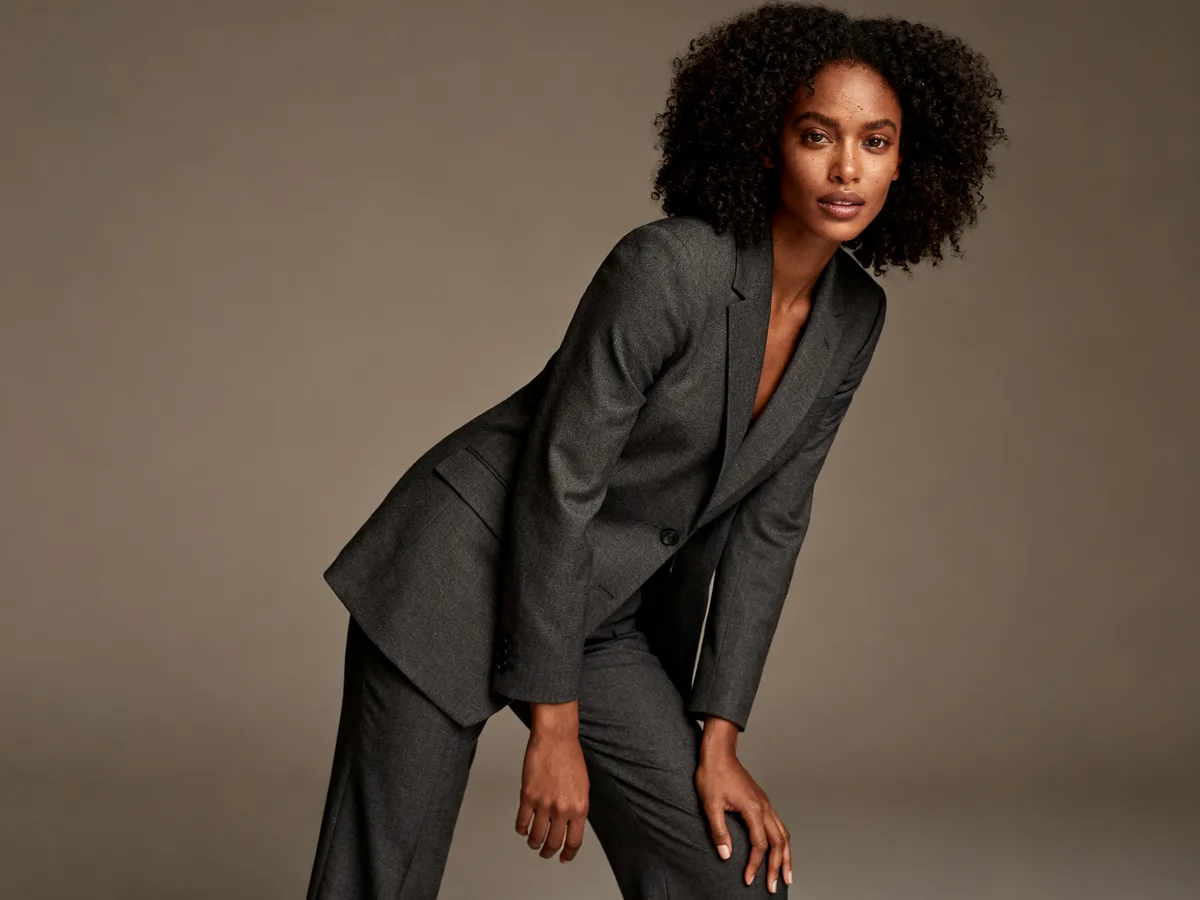
Navy blazer on a studio model: the AI result
After

PromptStudio, neutral pose

It worked on the first try and gives a clean catalog-style image. But the garment is not the same: the textured check wool became a smooth plain navy, a button is missing and the pocket style changed. The trousers and shoes are invented. Buyers would see a different jacket from the one on the hanger.

Try it free in AI Fashion Model Generator →Need it with no mark, in HD? Try AI Two (sister studio: free to try, paid plans remove the watermark)

Dark jeans on a street-style model

Dark jeans on a street-style model: the original photo
Before
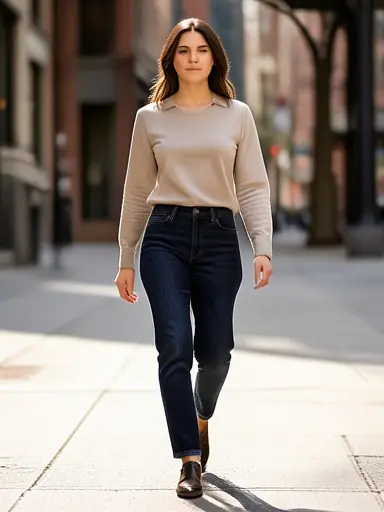
Dark jeans on a street-style model: the AI result
After

PromptStreet style, walking

A short prompt gave a believable street scene and a natural walking pose. The jeans stayed dark indigo but came out clean and smooth, without the faded wash and whiskers of the original, and the cut looks slimmer and cropped. The sweater and shoes are invented. Check wash and fit against the real pair.

Try it free in AI Fashion Model Generator →Need it with no mark, in HD? Try AI Two (sister studio: free to try, paid plans remove the watermark)

The same blazer on a male model, casual

The same blazer on a male model, casual: the original photo
Before
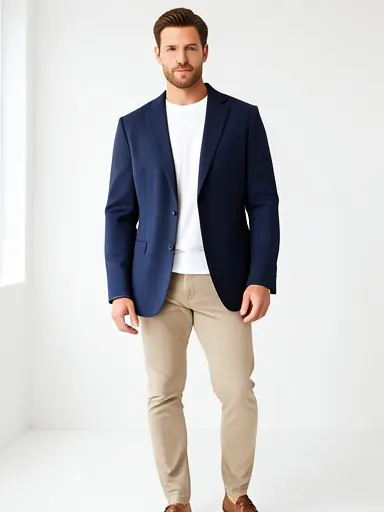
The same blazer on a male model, casual: the AI result
After

PromptMale model, casual

Changing the model took a few words and gave a second look from the same photo. The blazer again came out smoother and slightly brighter than the textured navy original, with a t-shirt and chinos added. It is useful for a style idea or a social post, but not as proof of what the jacket looks like.

Try it free in AI Fashion Model Generator →Need it with no mark, in HD? Try AI Two (sister studio: free to try, paid plans remove the watermark)

The before photos are phone-style snapshots of generic garments that we made with an AI image model for this site's tool pages; they are not customer photos. The models in the after images are generated people, not real ones. Each after is the unedited result of our own free tool, made on 15 October 2026 at the free size the tool returned (about 384 by 512 pixels) and shown uncropped without the download mark. Results vary from photo to photo.
Ways to show clothes on a body

The trade-offs below are general, not prices. Get quotes and test samples for your own garments before you choose.

OptionWhat it showsWhat to know
Hire a model and photographerReal fit and drape on a real personYou book people and a place, which takes time and money. Best for hero images and campaigns.
Flat lay or hanger photoThe garment itself, accuratelyCheap and fast, but shoppers cannot see it worn.
Ghost mannequinThe garment in a worn 3D shape without a bodyShows the cut, but not how it looks on a person. See our ghost mannequin guide.
AI model from a garment photoStyle and drape on a generated personFast and free to try. Details may change and it does not show your real fit.
Virtual try-on for customersA shopper's own photo wearing the itemHelps them imagine it, but it is a preview, not a product photo.

How to do it step by step

The vendors we read describe the same flow, and our own test followed it:

  • Photograph the garment on a mannequin, a hanger or flat, in even light, with the wrinkles smoothed. One vendor guide asks for at least 1000 by 1000 pixels, so shoot sharp and large.
  • Upload the photo to the tool.
  • Choose or describe the model, the pose and the setting. Photoroom's help page lists model, background, pose and size as the settings, and our tool takes a short prompt such as "Studio, neutral pose".
  • Generate, then compare the result with the real garment: color, fabric, pattern, buttons and pockets.
  • If a detail is wrong, try again with a more specific prompt, or use the real photo instead.

What AI models cannot tell shoppers

  • Real fit. A generated model does not wear your size, so it cannot show how the garment fits a real body. Keep the size chart, measurements and a note on the model's size beside the photo.
  • Exact fabric. Beaded, metallic or heavily embroidered garments can show artifacts, according to one vendor guide, so test them against a traditional photo.
  • Details that come off the hanger photo. Our tests show patterns, buttons and washes can change, and the AI adds clothes you did not supply, such as trousers, shoes or a t-shirt.

Be open about it

Attitudes to AI imagery vary. Some brands label it and some mix it with real model shoots. Nightjar adds that generated images should never be presented as real customer photos or testimonials. Check the rules of each marketplace and the advertising rules where you sell before you publish, because we have not verified them here.

Keep a collection consistent

A collection looks like one shoot when the pose, background and light match. Reuse the same prompt wording for every item in a collection, and compare the results side by side before you choose.

When to hire a real model

  • Hero images and campaigns that carry the brand.
  • Garments where exact fit, drape or fabric is the selling point.
  • Anything with named talent, regulated claims or strict marketplace rules.

FAQ

Questions sellers ask

Can I show my clothes on a model without hiring one?

Yes. Upload a clear photo of the garment to an AI fashion model tool and describe the model and setting. The result is a generated person wearing a version of your garment, which you should check against the real item.

What photo do I need?

A sharp, well-lit photo of the garment on a hanger, a mannequin or flat, with the wrinkles smoothed and nothing covering it. One vendor guide asks for at least 1000 by 1000 pixels.

Does the AI model show how the clothes really fit?

No. The model is generated, so it shows style and drape, not how the garment fits a real body. Keep the size chart and measurements on the listing.

Is the model a real person?

In our tests the models are generated people. Read each tool's terms on the use of the images.

Can I use AI model photos on Amazon or Etsy?

Rules differ by marketplace and change, and we have not verified them. Read the current photo and AI-content rules of each platform before you upload, and never present generated images as real customer photos.

Why did my garment look different in the result?

The model rebuilds the garment from your photo, so patterns, buttons, pockets and washes can change. A more specific prompt helps, but always compare with the real item.