Product photography
100% free · No sign-upFree Tumbler Mockup Generator
Upload your tumbler wrap and see it on a real stainless steel tumbler with a lid and straw: on a counter, in a car cup holder, held in hand or at the gym. Free to use, no sign-up.
Free to use · No sign-up · JPG, PNG or WebP
Tumbler Mockup Generator
Made with Z Product AI
Popular with sellers
How it works
How to use the Tumbler Mockup Generator
- 1
Upload your photo
A clear phone photo is enough. Keep the whole product or garment in frame.
- 2
Tap a preset or describe it
Pick a chip or type what you want in a few words. The AI keeps your product exactly as it is.
- 3
Download or refine
Download the result, or ask for a change and the AI edits the last image.
A tumbler mockup shows your wrap on a real stainless steel tumbler, so buyers see the finished cup and not a flat rectangle. Sublimation and Etsy sellers use them for listings, ads and social posts. Upload the wrap, pick a shot and download the photo.
Tumbler shots that sell
Lead with a clean counter shot with the center of the design facing the camera. Add a car cup holder or in-hand shot to show size, and a gym or beach shot for mood. If the wrap has a name or a word, make sure it faces the camera in every shot.
Seams and wraps
A tumbler wrap meets itself at the back, and a mockup only shows the front. Put the main word or picture in the middle of your wrap so it lands facing the camera, and keep a small margin at the top and bottom, where the lid and base cover the steel.
A mockup is a preview, not a print proof
The photo shows how the wrap will look, not how a specific blank will print. Shapes and sizes differ between suppliers, and colors shift in sublimation. Press one sample before you list a new design.
Need images with no mark, in HD? Try AI product photos on AI Two, our sister studio: free to try, and its paid plans remove the watermark and add HD output.
FAQ
Tumbler Mockup Generator: questions sellers ask
How do I make a tumbler mockup?
Upload your flat tumbler wrap or design as a JPG or PNG, then tap a shot such as "On a counter" or "Car cup holder", or type your own. The AI wraps the design around a real tumbler and photographs it. Make one image per shot you want in your listing.
Will my text and pattern stay exact?
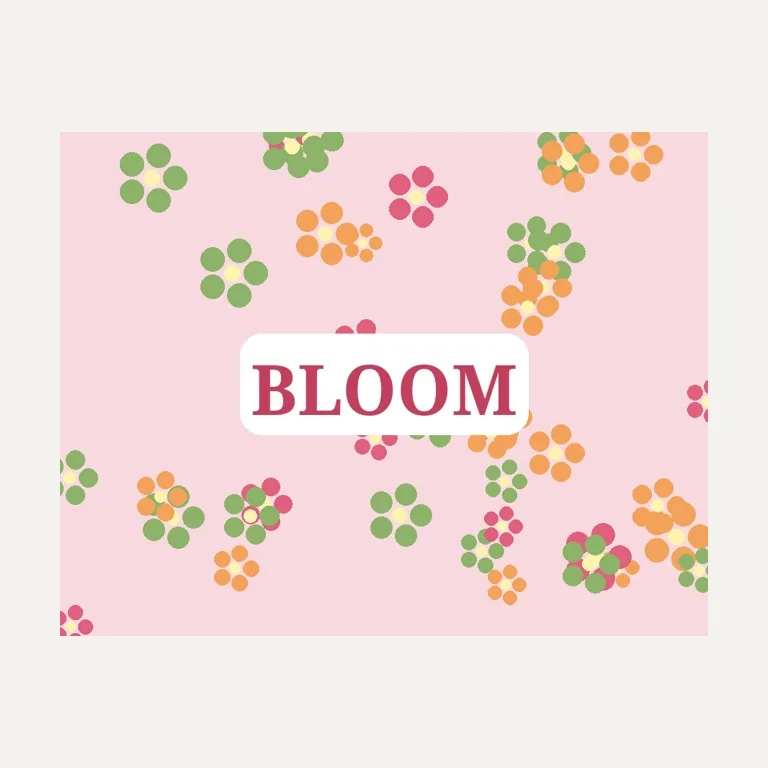
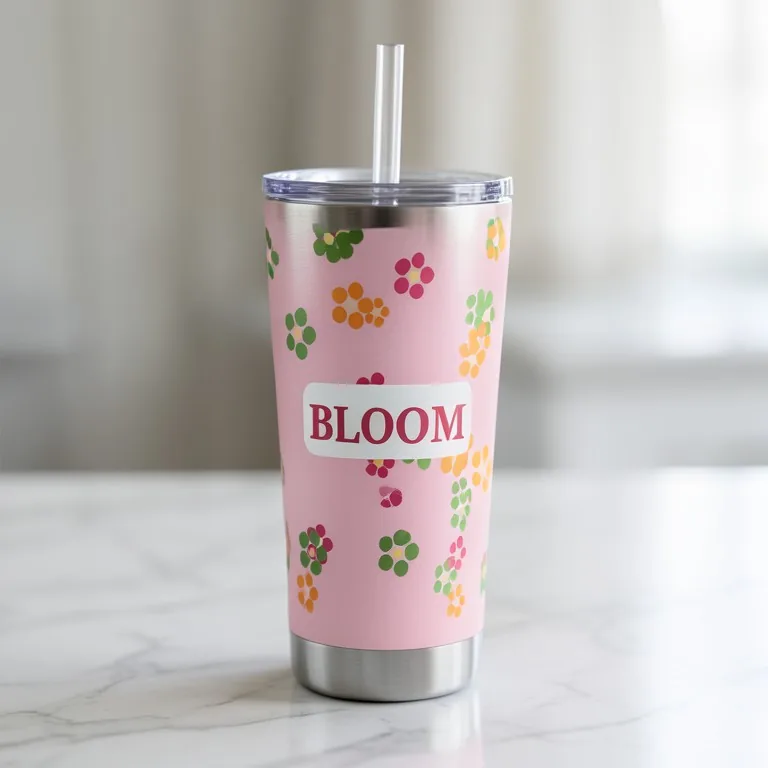
The words did in our test. We wrapped a made-up floral design with the word BLOOM around a 20 oz tumbler, and BLOOM and the flowers came out exact. The tumbler shape did not match the request: we asked for a straight skinny tumbler and got a slightly tapered one. Check the shape against your real blank, and type it again more plainly if it is off, for example "straight-sided tumbler, same width top to bottom".
What size should my tumbler wrap be?
Use your supplier’s template. As one example, MakerFlo lists its 20 oz skinny tumbler at 8.63 inches tall with a 9.325 x 8.125 inch sublimation template. The mockup only needs the part you want facing the camera, but a full wrap gives the AI more to work with.
Can I show a 30 oz or 40 oz tumbler?
Yes. Type it with your request, for example "40 oz tumbler with a handle" or "30 oz tumbler". Without that, the tool uses a 20 oz skinny tumbler with a lid and straw, a common sublimation blank.
Is the tumbler mockup free?
Yes. There is no sign-up and no paid plan to unlock downloads. Free downloads are up to 768px on the long side and carry a small zproductai.com mark, which suits drafts, social posts and quick listing tests.
Is Tumbler Mockup Generator free?
Yes. Tumbler Mockup Generator is free to use — no account and no credit card needed. You get free edits every day.
How accurate is Tumbler Mockup Generator?
Results depend on the photo and the request. You can refine with follow-up messages until it looks the way you want.
Can I make multiple edits?
Yes! Each result becomes your new base image — keep refining with follow-up messages.
Is Z Product AI really free?
Yes. Every tool and assistant on Z Product AI is free to use, with no sign-up and no credit card, and there are no paid plans. Very heavy use is paced with short waits so the site stays free for everyone.
Keep going
More tools for your listings
 Mug Mockup GeneratorFreeUpload your flat mug design and see it printed on a real coffee mug: on a kitchen counter, on a desk, in a café, in someone’s hands or in a gift box.
 Bottle Mockup GeneratorFreeUpload your bottle label and see it on a real bottle: glass, amber dropper, wine, beer, water or pump, in a studio, on a café counter or held in hand.
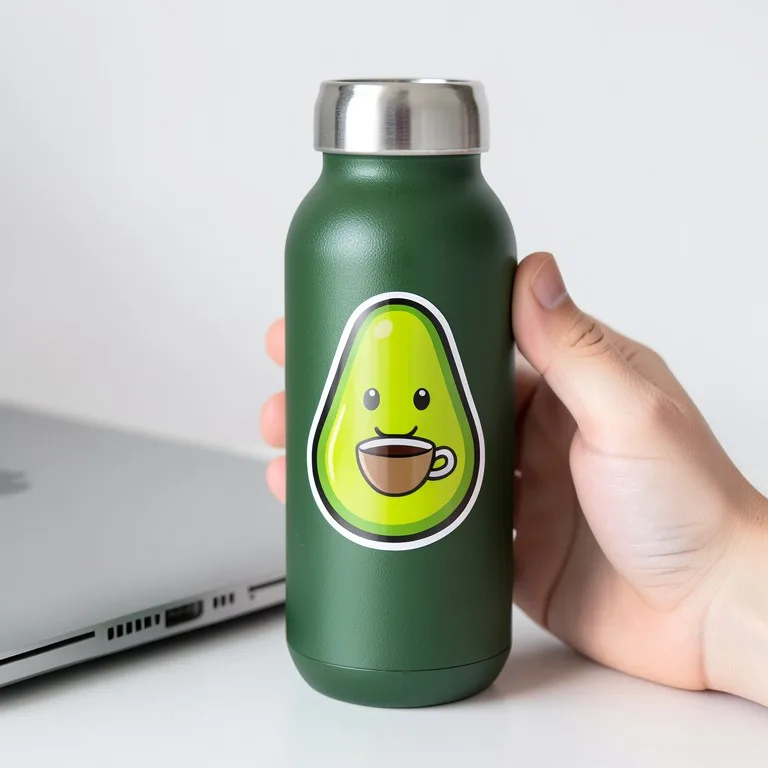 Sticker Mockup GeneratorFreeUpload your sticker design and see it as a real die-cut sticker: on a laptop, a water bottle, a notebook, a sticker sheet or held in a hand.
 AI Mockup GeneratorFreeDescribe a product mockup, or upload your logo or label, and get a photo-real mockup: bottles, boxes, bags, mugs, apparel and more.
 Packaging Mockup GeneratorFreeTurn a flat label, box design or product render into a realistic packaging mockup photo, with your artwork kept exact.
Ask an assistant
 Product Shoot StudioProduct Photography FreeYour AI product photography director: plans the shoot, picks scenes, props and light, and writes the prompt for every shot.Chat free →
 Amazon Main Image CheckerProduct Photography FreeChecks your Amazon main image against common requirements, background, fill, props and text, and tells you how to fix or reshoot it.Chat free →
 Jewelry Photo DirectorProduct Photography FreePlans jewelry photos that show sparkle, metal tone and true scale: rings, necklaces, earrings and bracelets on white, on busts and in close detail.Chat free →